Using a proxy server for PS4 can help players access online services, bypass regional restrictions, and improve privacy while gaming. Many users encounter the proxy option while configuring their console and wonder what does proxy server mean on PS4 or why is my PS4 asking for a proxy server.
In this guide, we’ll explain how a proxy server on PS4 works, which proxy types are best for gaming, and how to configure one step-by-step in the PlayStation network settings.

What Does Proxy Server Mean on PS4
To understand what does proxy server mean on PS4, it’s important to know how a proxy works.
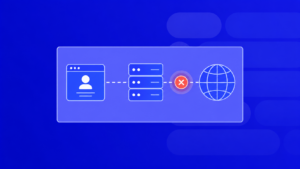
A proxy server acts as an intermediary between your PlayStation console and the internet. Instead of connecting directly to gaming servers or the PlayStation Network, your traffic first goes through the proxy server, which forwards the request to the destination.
In simple terms, when you use a proxy server on PS4, the gaming servers see the proxy’s IP address instead of your real IP address.
This provides several advantages:
- hides your real IP address
- helps bypass regional restrictions
- allows access to services unavailable in your region
- reduces the risk of account or IP bans
- enables switching between different geographic locations
Many gamers use proxies when accessing PlayStation Network (PSN) from restricted regions or when managing multiple gaming accounts.
Why Is My PS4 Asking for a Proxy Server
Some users notice a proxy configuration field while setting up their internet connection and start asking why is my PS4 asking for a proxy server.
The reason is simple: PlayStation includes proxy support in its network configuration settings for advanced users.
Your PS4 may request proxy details if:
- you selected Custom network setup
- your network requires a proxy for internet access
- you previously configured proxy settings
- your router or ISP uses a proxy connection
- you are trying to bypass network restrictions
In most home networks, the proxy field can be skipped. However, if you want more control over your connection, using a proxy server for PS4 can be very useful.
Why Gamers Use a Proxy Server on PS4
A proxy server on PS4 can solve several problems related to gaming connectivity and regional restrictions.
Common use cases include:
Accessing PlayStation Network from restricted regions
In some countries, PlayStation services may be limited or unavailable. A proxy allows you to connect through another country and access PSN.
Bypassing IP restrictions or bans
If an IP address was blocked by a game server or platform, a proxy can provide a new IP.
Managing multiple gaming accounts
Players who operate multiple profiles (for farming, testing, or trading) often use proxies to avoid triggering security systems.
Improving privacy
Using a proxy hides your real IP address and protects your network identity while gaming online.
How to Set Up a Proxy Server on PS4: Step-by-Step Guide
Using a proxy server for PS4 is one of the most reliable ways to access PlayStation Network, bypass regional restrictions, or solve connection problems. Many gamers start searching for solutions after encountering the question why is my PS4 asking for a proxy server, especially when configuring their network manually.
A proxy server on PS4 allows your console to connect to the internet through another IP address. Instead of exposing your real IP, PlayStation servers see the proxy IP address. This helps bypass regional limitations, avoid IP bans, and manage multiple gaming accounts safely.
How to Buy a Proxy Server for PS4 Using PROXY-MAN
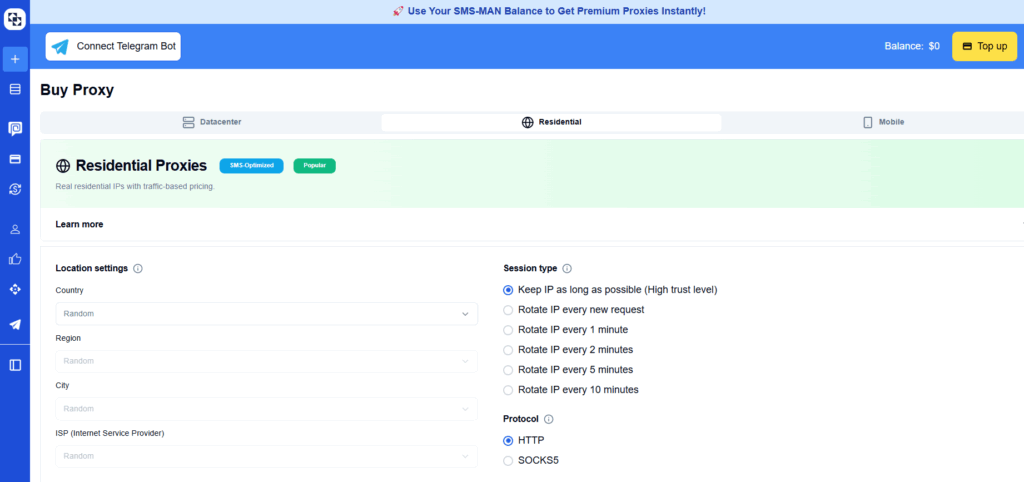
Before starting the setup process, you need a reliable proxy. You can easily buy a proxy server for PS4 from PROXY-MAN, which offers fast and stable proxies suitable for gaming and PlayStation Network access.
How to Activate a Proxy Server on PS4
Below is a simple step-by-step guide to configure a proxy server on your PlayStation 4.
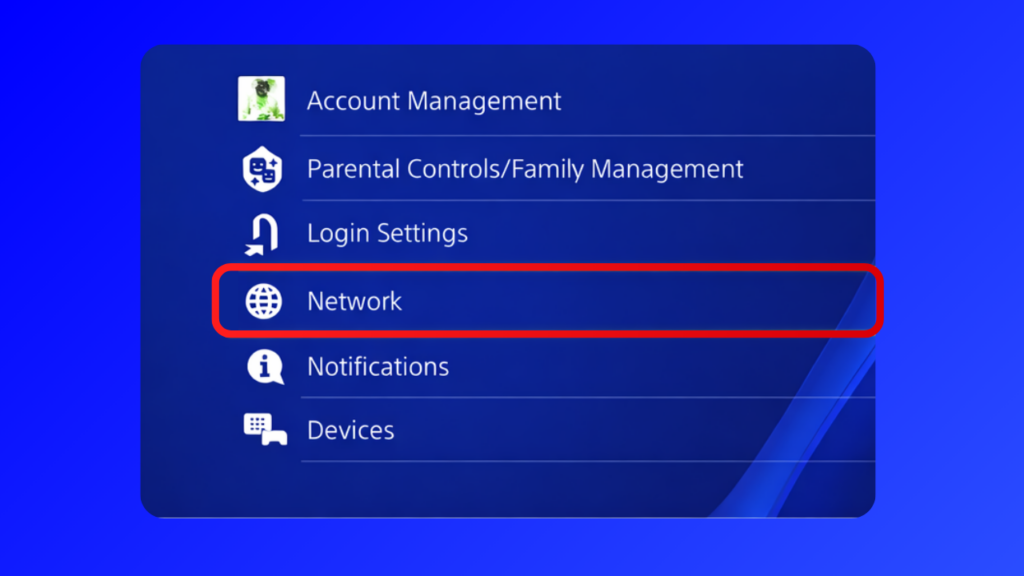
Step 1: Open Network Settings
Go to Settings on your PS4 console and navigate to the Network section.
This is where all internet and connection settings are configured.
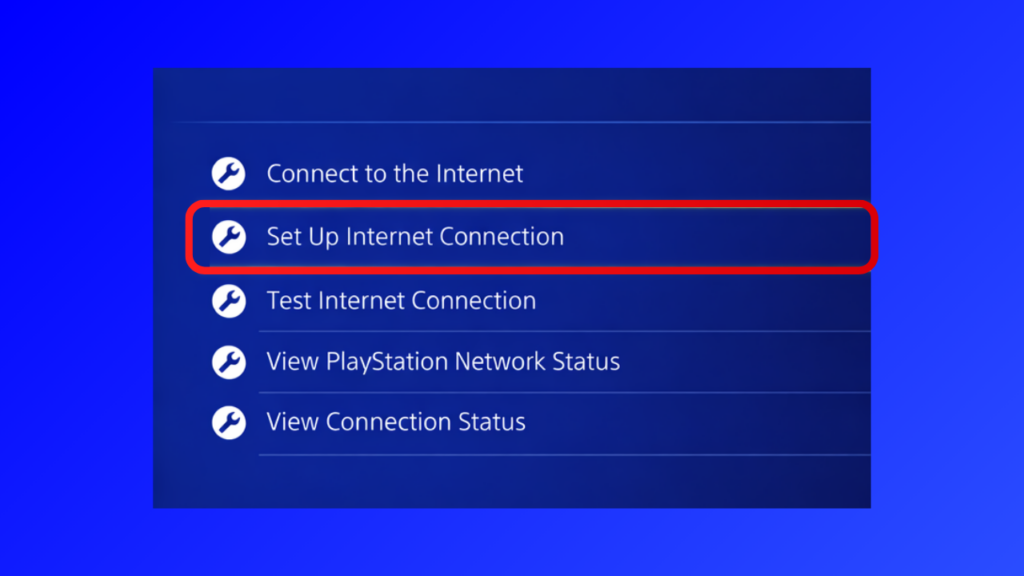
Step 2: Select “Set Up Internet Connection”
Choose Set Up Internet Connection to begin configuring your network connection.
This option allows you to manually configure your connection, including setting up a proxy server for PS4.
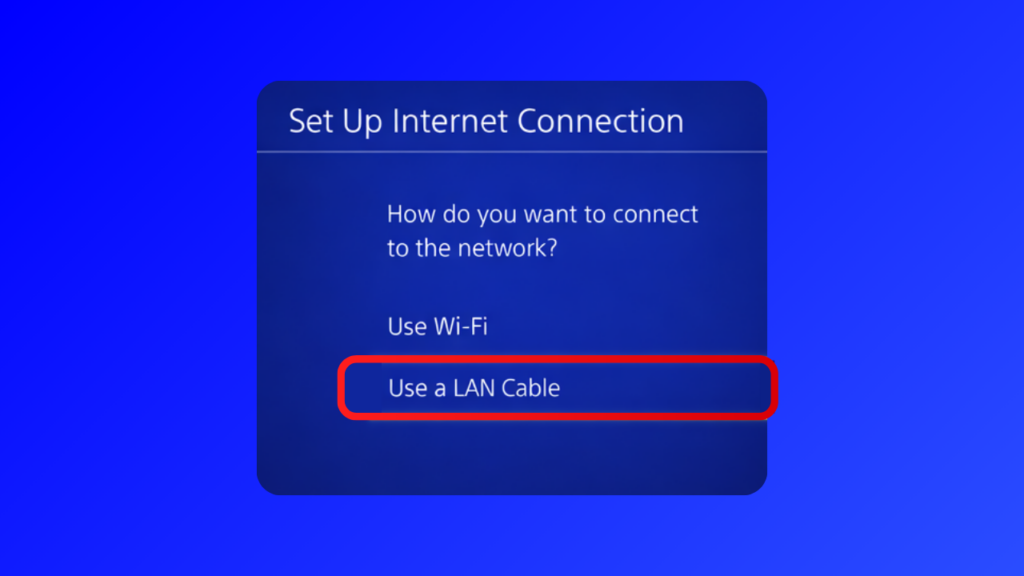
Step 3: Choose Your Connection Type
You will now see a window asking how you want to connect to the internet.
Select the option you use:
- LAN Cable (wired connection)
- Wi-Fi (wireless connection)
Both options support configuring a proxy server on PS4.
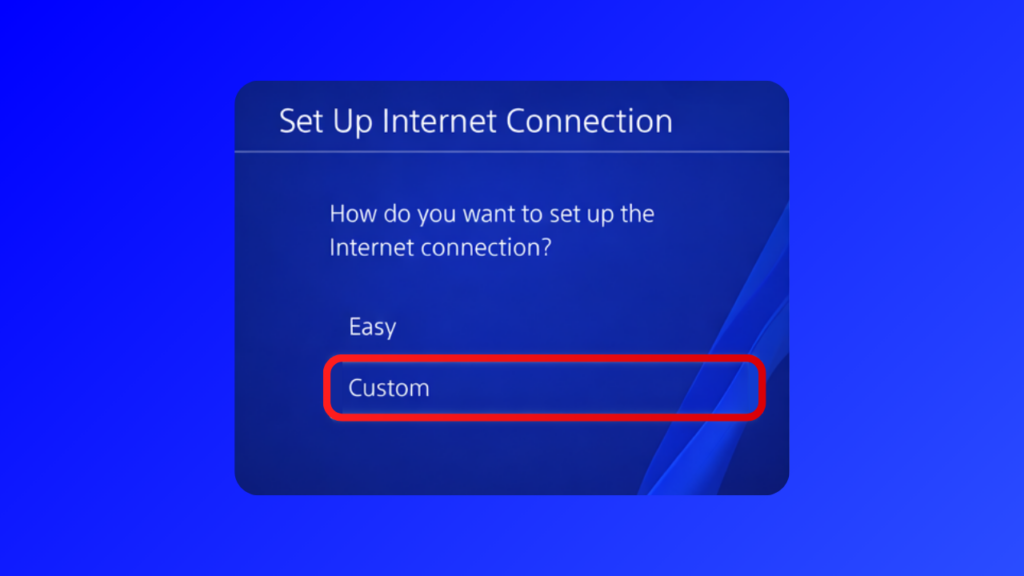
Step 4: Select Custom Setup
When asked how you want to set up the internet connection, choose Custom.
This option allows you to manually configure network parameters, including proxy settings.
Step 5: Configure IP Address Settings
For IP Address Settings, select Automatic.
This allows the system to automatically assign network parameters while still letting you configure the proxy manually later.
Step 6: Enable Proxy Server
When you reach the Proxy Server step, select Use.
This is the stage where you can connect your console to the proxy server you purchased.
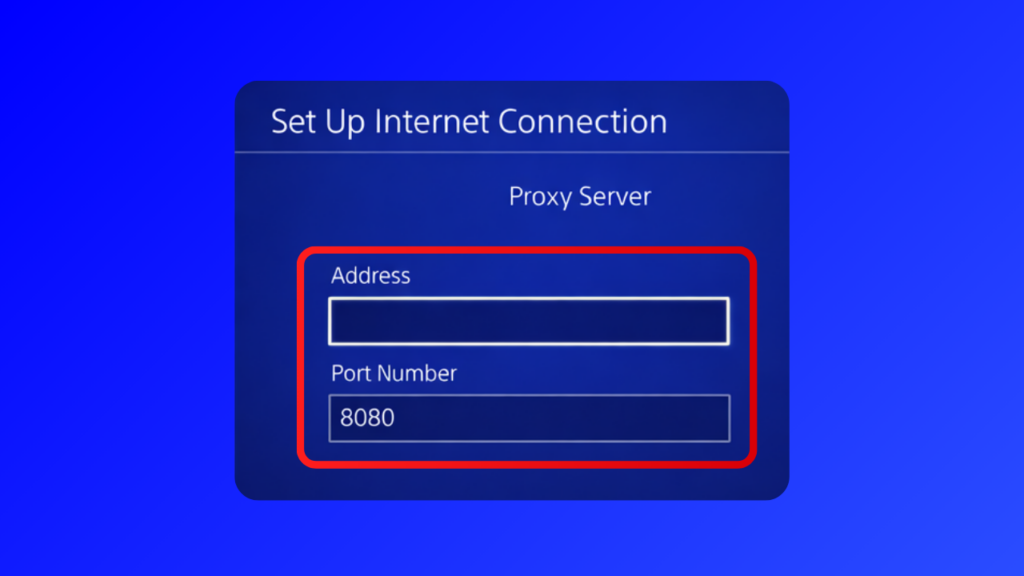
Step 7: Enter Proxy Details
Now enter the following information:
- Proxy IP address
- Port number
You will receive these details after purchasing a proxy from proxy-man.com. Once you enter the information, press Next to continue.
FAQ
Should proxy server be on or off on PS4?
In most cases, the proxy server option on PS4 should be turned off. A proxy is only needed if your network requires it or if you want to route your connection through another IP address. Gamers usually enable a proxy to bypass regional restrictions, protect their real IP, or access PlayStation Network from restricted locations.
Can a proxy help bypass regional restrictions on PS4?
Yes. One of the main reasons gamers use a proxy server for PS4 is to bypass region restrictions. By connecting through a proxy located in another country, the PlayStation Network and game servers see the proxy’s IP address instead of your real one.
Can you play online games on PS4 with a proxy?
Yes, you can play online games using a proxy server on PS4. However, the quality of the proxy is important. A slow or overloaded proxy may increase latency and cause connection issues. For stable gameplay, it is recommended to use fast private proxies with low ping.