The Original Sin: A Network Designed to Not Die, Not to Hide You
On January 1, 1983, ARPANET officially switched from NCP to TCP/IP. Engineers later called it “flag day”. It was the moment IP addresses became the universal identifier for every connected machine on earth — a decision made before the web existed, before privacy law existed, and before the idea that ordinary people would ever be online.
What were Vint Cerf and Bob Kahn actually solving? Packets had to find their way across a network where any node could disappear. Paul Baran’s 1964 RAND papers on distributed packet networks were partly motivated by surviving a nuclear first strike; ARPANET itself was framed more as academic resource-sharing. Both framings agree on one thing: the network was built to route around damage, not to hide its users.
For a packet to survive, it needs two things visible at every hop: a destination address and a source address. No encryption of headers. No identity layer. No anonymity layer. The design goal was “deliver the message even if half the network is gone.”
Think of it like a postal system, not a phone booth. Every envelope carries a return address, and every post office along the way reads it.
The side effect of that elegant engineering decision: the sender is always identifiable.
The architecture of the internet is older than the web, older than privacy law, older than the idea that ordinary people would be on it. Everything else that followed is downstream of that one choice.
How an Address Became an Identity (Without Anyone Noticing)
An IPv4 address is a 32-bit number — roughly 4.3 billion possible values, allocated in blocks to ISPs, who allocate them to subscribers. On its own, it’s just a routing label. But because ISPs keep logs, because geo-IP databases map blocks to cities, and because ad-tech correlates IPs with everything else you do, the address quietly becomes a proxy for you.
Here’s the concrete chain:
- A cookie dies in 30 days.
- A browser fingerprint can be spoofed.
- Your IP + household is the most stable identifier a tracker has.
The industry term is “IP-based identity resolution.” Companies like LiveRamp explicitly build “household graphs” keyed on IP address — linking every device in your home into a single profile, even without cookies. This is not a secret in ad-tech circles. It is almost completely unknown to consumers.
IANA officially ran out of new IPv4 blocks to hand to regional registries in February 2011. So engineers deployed IPv6 — 128 bits, enough addresses for every grain of sand on every beach. It was supposed to be the fix. Instead it made things worse: now every device in your house can have its own permanent public address. Your laptop, your phone, your smart TV — each a distinct, stable, trackable node.
The address problem didn’t get solved. It got multiplied.
You Opened Amazon from a San Francisco Café, and the Internet Already Knew
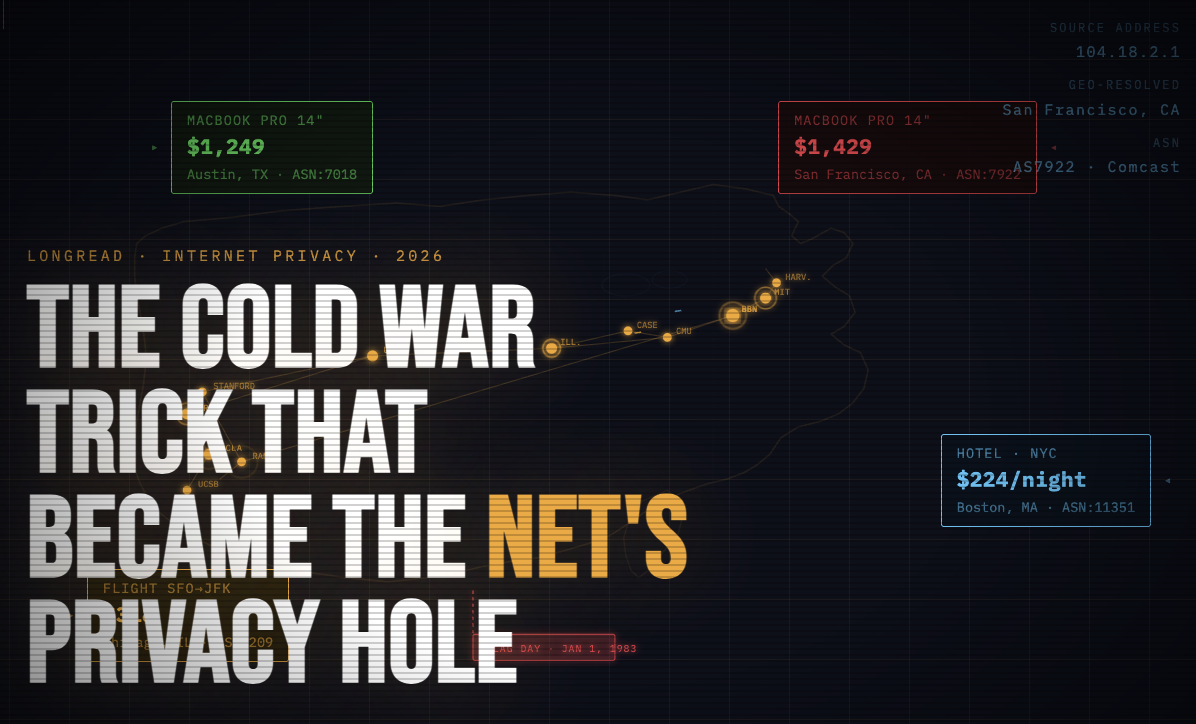
Picture this: a guy sits in a café in San Francisco, opens Amazon on his laptop to check the price of a laptop. A friend in Austin opens the same product page on a Telegram call. The prices are different. Not by a little — by $180.
The San Francisco user assumes it’s a sale. The Austin user pulls up dev tools: same product ID, different price.
What happened: Amazon’s backend saw the request came from an IP block allocated to a California ISP, geo-IP’d it to San Francisco, pulled the regional pricing policy, and served a different page. This is not a bug. This is exactly what the 1983 architecture permits by design. The server sees where you’re calling from, and it’s allowed to act on it.
A Northeastern University study analyzed price discrimination across 16 major e-commerce sites and found that 9 of them showed different prices or product rankings to different users — with IP-based geolocation as one of the primary signals.
Scale that up:
- Streaming services geo-block UFC fights and live sports by IP.
- Booking sites raise prices for repeat visitors from the same ISP.
- Job boards hide “US-only” postings from certain IP ranges.
- Ad networks decide your worth before the page even loads.
The address that was designed to deliver a packet is now deciding your price.
Why VPNs Stopped Being the Answer Around 2019
The conventional fix: use a VPN, get a new IP. Reasonable idea. Here’s what actually happens.
A commercial VPN routes you through one of a few hundred data-center IPs owned by Nord, Express, and similar providers. These IPs live in ASN blocks registered to hosting providers — AS13335 (Cloudflare), AS16509 (AWS), AS9009 (M247, used by many VPNs). Anti-fraud systems like Cloudflare Bot Management, PerimeterX (now HUMAN), and Kasada maintain explicit lists of ASNs that “real consumers never come from.”
When Netflix showed you the “you seem to be using an unblocker” screen in 2016, this was the exact mechanism. The VPN didn’t fail at encryption. It failed at plausibility.
Here’s the uncomfortable truth: your $12/month VPN isn’t hiding you. It’s labeling you.
The distinction that actually matters:
| IP Type | Where it lives | How fraud systems see it |
|---|---|---|
| Datacenter IP | AWS, Cloudflare, M247 | Flagged by default on serious sites |
| Residential IP | Home ISP (Comcast, AT&T, etc.) | Looks like a real household |
| Mobile IP | Carrier (T-Mobile, Verizon, etc.) | Shared by hundreds of real users via CGNAT — almost impossible to flag |
Approximately 30% of commercial VPN providers share backend infrastructure from a single parent company — Kape Technologies owns ExpressVPN, CyberGhost, Private Internet Access, and ZenMate — meaning an unusually large share of “privacy” traffic exits through a concentrated set of ASNs that are thoroughly mapped by detection systems.
The market promised you a privacy tool. It delivered a detection magnet.
The Uncomfortable Part: Where “Residential IPs” Actually Come From
Most privacy writing stops at “use a residential proxy.” Let’s go one level deeper.
Residential proxy pools are built three ways, and the ethical difference between them is enormous:
- Tier A — Paid opt-in networks
- Users knowingly install software, share idle bandwidth, and get paid for it. Honeygain is the most visible example. Consent is real. Supply is limited.
- Tier B — Bundled SDKs
- Free apps and free VPNs include an SDK that routes traffic through users’ devices. Technically, there’s a consent clause buried in a 40-page ToS that nobody reads. This is the dark-pattern zone. In 2019, security researchers and later 404 Media investigations documented that Hola VPN quietly resold its users’ idle bandwidth as the Luminati (now Bright Data) residential proxy network — one of the first public exposures of this model at scale.
- Tier C — Compromised devices
- Outright malware pools. This is the criminal zone.
The industry has spent a decade pretending A, B, and C are the same product. They are not. A 2023 academic study of residential proxy ecosystems found that a significant portion of IPs advertised in commercial “residential” pools were associated with mobile apps whose users had no awareness they were acting as exit nodes.
If you’re going to use this category of tool — and there are legitimate reasons to — you should know which shelf your provider stocks from. The difference between ethical and unethical here isn’t technical. It’s a sourcing question. Ask it.
What “Controlling Your IP” Actually Looks Like in 2026
Privacy in 2026 is not binary. It’s about which address you show to which service, deliberately.
Consider four everyday scenarios that the 1983 architecture forces through a single identifier — your home IP:
- A home Netflix session
- A work Google account
- A price check on a competitor’s product page
- A limited-release sneaker drop
These are four different contexts requiring four different levels of trust and identity. The modern workaround isn’t “hide forever.” It’s choose per session.
- Datacenter IPs
- Best for raw speed when detection isn’t a concern: SEO checks, non-sensitive scraping, internal tooling.
- Residential IPs
- Best when you need to look like a real household: price intelligence, geo-testing, multi-account work on platforms that profile ASN origin.
- Mobile IPs
- Best against the hardest anti-fraud stacks (Meta, TikTok, sneaker sites). Mobile carrier-grade NAT means a single public IPv4 address is shared by hundreds or thousands of mobile subscribers simultaneously. You can’t ban an IP that belongs to a quarter of a city. Most bot-detection systems score mobile IPs as the lowest-risk category precisely for this reason.
This is the same toolkit that engineers at Fortune 500 companies use to QA-test their own geo-flows, and the same toolkit that data-intelligence teams use to monitor public pricing. It used to cost enterprise money and require a week of setup. That’s no longer the case.
The Meta-Point: 1983 Was a Long Time Ago
The internet’s default identity layer was set by a handful of DARPA-funded engineers in a world where “online” meant “academic.” No consumer was consulted. No privacy law existed.
The Cold War is over. The architecture isn’t.
Everything we now call “online privacy” is, at bottom, people building civilian workarounds for a military-era design decision:
- VPNs are a workaround.
- Residential proxies are a more sophisticated workaround.
- Tor is a more radical workaround.
- Apple’s iCloud Private Relay is a commercial workaround.
The workaround industry is the $10-billion acknowledgement that the original design was never fit for what the internet became.
You’re not paranoid for wanting to control which address you show to which service. You’re just finally asking a question that should have been asked in 1983.